
Installing CppDepend VSCode Extension
Bring the power of CppDepend directly into your Visual Studio Code workflow.
Overview
This extension provides advanced code quality and architecture analysis seamlessly integrated inside Visual Studio Code. Since the extension is packaged as a VSIX file, you can install it by following the steps below.
Step by Step Installation
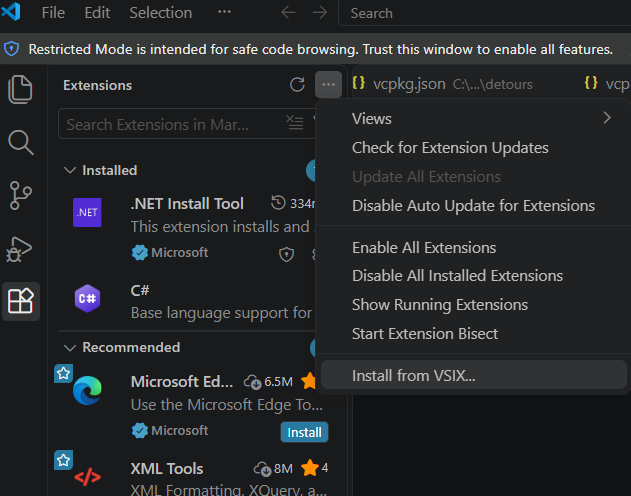
- 1Install the extension from the VSIX file: in the Extensions view, open the … menu and choose Install from VSIX…
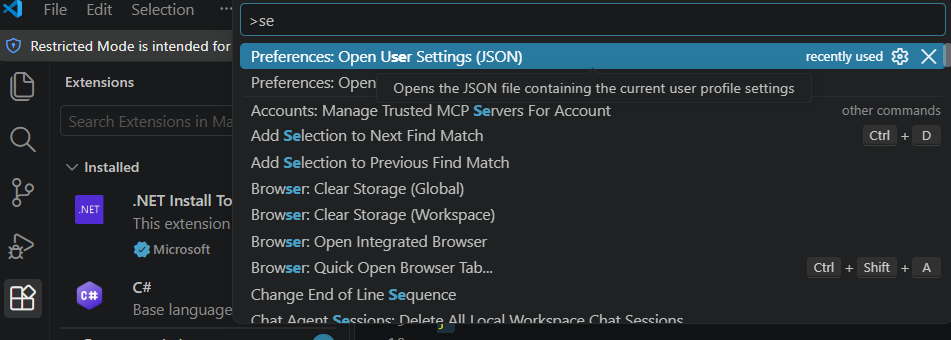
- 2Open the user settings with
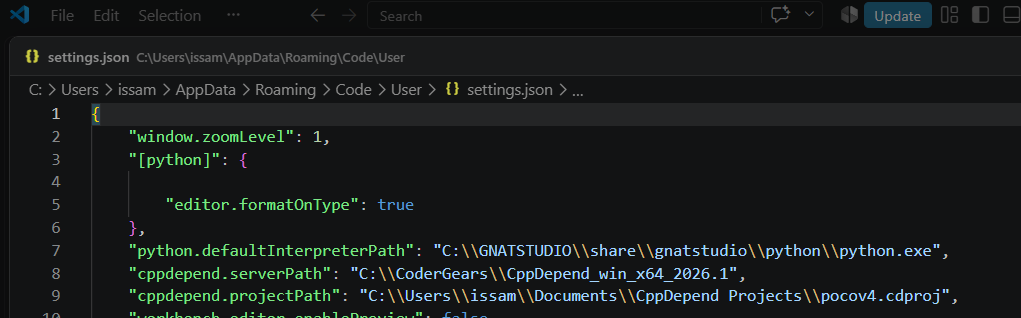
Ctrl+Shift+Pand choose Preferences: Open User Settings (JSON) - 3Configure the two CppDepend variables:
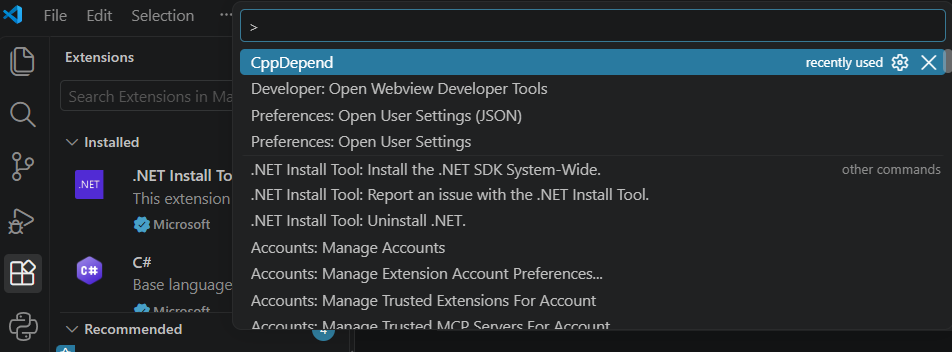
cppdepend.serverPath(CppDepend install path) andcppdepend.projectPath(CppDepend project path) - 4Launch CppDepend from the Command Palette
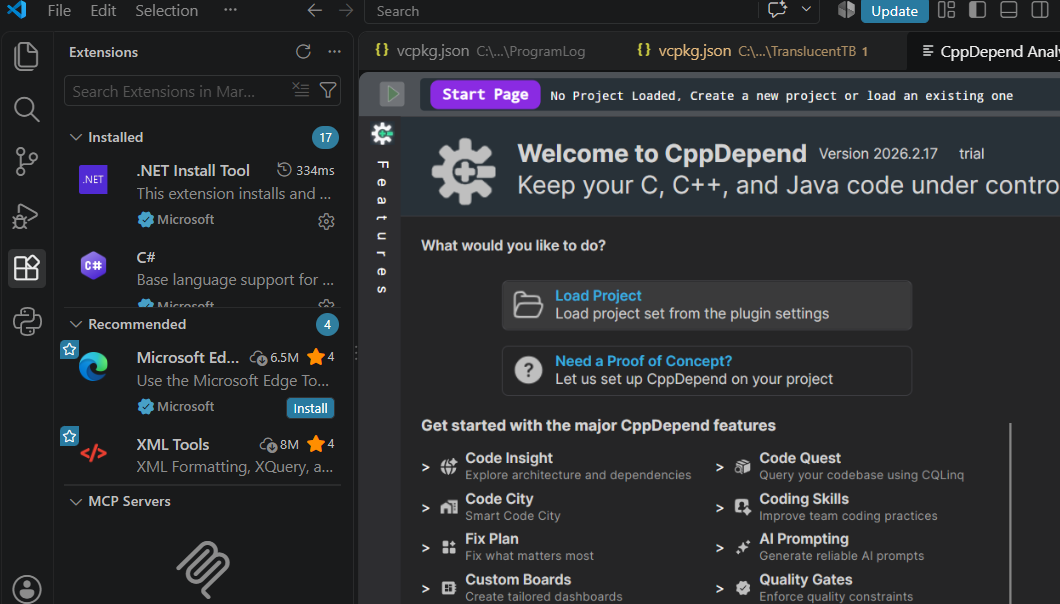
- 5Click on Load Project on the CppDepend start page
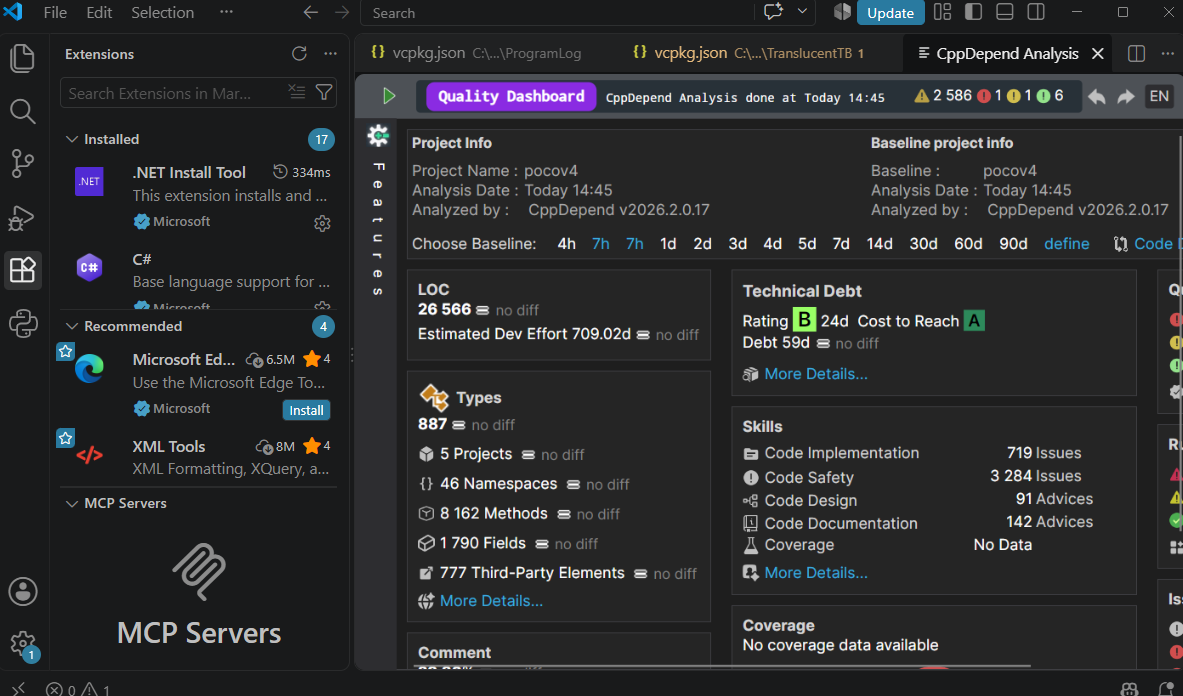
- 6The project is loaded: the CppDepend Quality Dashboard is displayed inside VS Code
Download CppDepend
Start your 14-day free trial with full access to all features.
Download Free Trial